
Will Removing The Hard Drive Erase Everything?

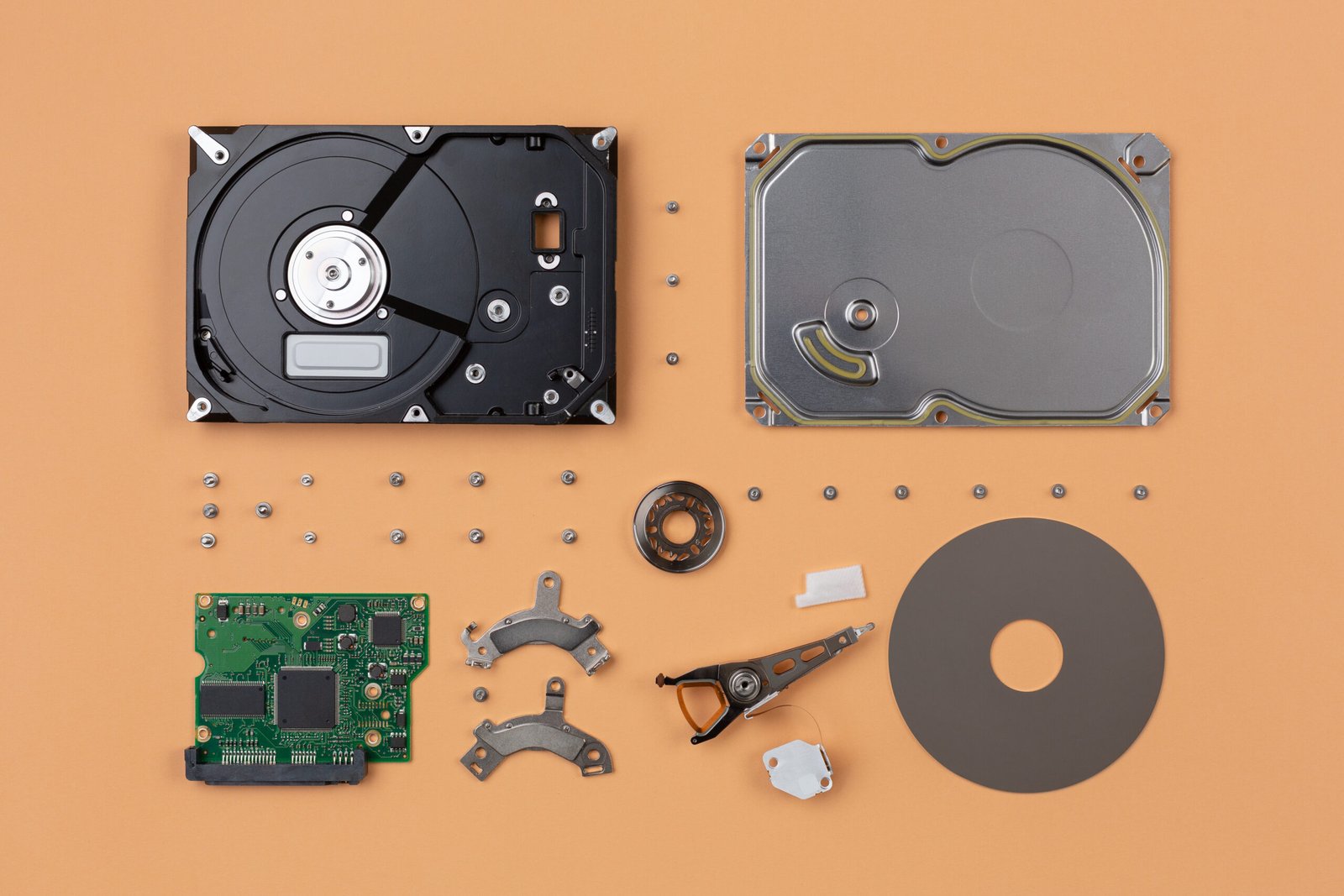
Will Removing The Hard Drive Erase Everything?
When preparing to sell, donate, recycle, or dispose of a computer, one question often comes to mind: Will removing the hard drive erase everything?
Most individuals believe that by simply taking a hard disk out of a computer or laptop, their personal information will no longer exist. However, this is not how data is stored, and simply removing a hard drive does not mean that files, photographs, documents, passwords, or other private information will automatically be gone forever.
By understanding what happens to your hard disk when you remove it, you can be more vigilant about protecting your personal data and less vulnerable to security risks. This guide explains what happens when you remove a hard disk from a computer, whether there is any way to access your information after removal, and what options are available to ensure your data is completely deleted.
What Happens When You Remove a Hard Drive?
A hard disk’s primary use is to provide permanent storage within your computer. Data that is stored on a hard disk includes the following:
- Operating system files
- Documents and spreadsheets
- Photos and videos
- Installed applications
- Saved passwords
- System settings
When you take out a hard disk, you are physically disconnecting the hard disk from its primary means of access. All of the data that was saved to the hard disk, however, will remain on that hard drive. Taking the hard drive out of the computer means that it cannot access the data stored on the hard drive, but it does not mean the data stored on the hard drive has been deleted or destroyed.
Does Removing the Hard Drive Delete Files?
No.
Even when a hard disk drive has been removed from a computer, the files that were stored in that location continue to exist in that location until they are either deleted or the hard drive is overwritten.
As a result, if you want to absolutely delete data from an old machine because you intend to sell or recycle it, just removing the hard drive will not help you completely delete data from the machine. You’ll still need some means of destroying any remaining data stored on the removed hard drive.
Can Someone Recover Data From a Removed Hard Drive?
In most cases, yes.
A removed hard drive can often be connected to another system using:
- USB hard drive adapters
- External drive enclosures
- Docking stations
- Internal SATA connections
Once connected, the data may still be readable unless the drive has been securely wiped or encrypted. This is why businesses and organizations take data destruction seriously when retiring old computers.
Will the Computer Still Work Without a Hard Drive?
The answer depends on what you mean by “work.”
The Computer Can Still Power On
Even without a hard drive installed, most computers can still:
- Receive power
- Display the manufacturer logo
- Access BIOS or UEFI settings
- Run hardware diagnostics
The Computer Usually Won’t Load Windows or macOS
The Operating System is typically on the Hard Drive (HDD) of a Computer, and since that storage device is removed, the Computer usually cannot boot up into Windows or macOS.
Most users think that when a Computer cannot start up anymore, that means the Data is gone (i.e., it has been erased). In reality (after the HDD is removed), the Data is still present on the HDD.
Hard Disk Drives vs. Solid-State Drives
Not all storage devices are the same.
HDD (Hard Disk Drive)
Have Magnetic platters and can be Wiped Securely with an overwriting method.
SSD (Solid-State Drive)
Have Flash memory and do not use any moving parts. SSDs require special secure methods to delete data.
No matter (HDD/SSD) if you take the storage device from the computer, the data will not be removed.
Is Deleting Files the Same as Removing a Hard Drive?
No, these are completely different actions.
Removing a Hard Drive
- Disconnects the storage device
- Leaves all data intact
- Allows future access if reconnected
Deleting Files
- Removes references to files
- Makes space available for new data
- Does not necessarily make information unrecoverable immediately
Many deleted files can still be recovered using data recovery software until they are overwritten.
What About Factory Resetting a Computer?
A factory reset restores a device to its original state, but it may not eliminate all recoverable data. Depending on the operating system and storage type, information may still exist after a reset. This is why security experts often recommend secure wiping or encryption for sensitive data.
Signs You Should Securely Erase a Drive
Consider secure data destruction if you are:
- Selling a computer
- Donating a device
- Recycling electronics
- Returning leased equipment
- Replacing old storage devices
- Disposing of business hardware
Taking a few extra steps can help prevent identity theft and unauthorized access to personal information.
Final Thoughts
So, will removing the hard drive erase everything?
The simple answer is no.
When you take away a hard disk, you’re not deleting its data, simply disconnecting it from the PC. The information will still exist on it, and can be easily retrieved from it if it is hooked up to another computer. If you want to get rid of all your data, have additional procedures (such as wiping, encrypting, using a secure hard disk eraser, and/or destroying the hard disk).
If you are selling, donating, or repairing your computer, using proper data sanitization techniques would provide the utmost protection of your privacy and sensitive personal information.
Frequently Asked Questions
What happens to the data on my hard drive if it is removed from my computer?
No, it’s just that when you remove the hard drive from your computer, you’re only disconnecting from your computer. The data will remain until it has been erased in a secure manner.
If I remove the hard drive from my computer, can I use it in another computer?
Yes, provided that you have an adapter for your removed hard drive from the previous computer, there is a fairly good chance you can use your removed hard drive from your previous computer in a new computer.
Will a factory reset ensure all data is removed before I sell my computer?
Not necessarily. A factory reset removes user access to the files, but some data may still be recoverable; a more secure wiping would be beneficial in this case.
What is the safest method for wiping your hard drive?
Depending on the drive type, the safest methods for wiping your hard drive include secure wiping, the use of an approved secure erase tool from the manufacturer, the use of encryption-based erasure, and, in some cases, physically destroying the hard drive.
Is it possible to recover data from a bad drive?
Sometimes it is. A data recovery specialist can usually recover data from a damaged hard drive; however, this will often not be possible if the media has been totally destroyed.